Fleet Cockpit
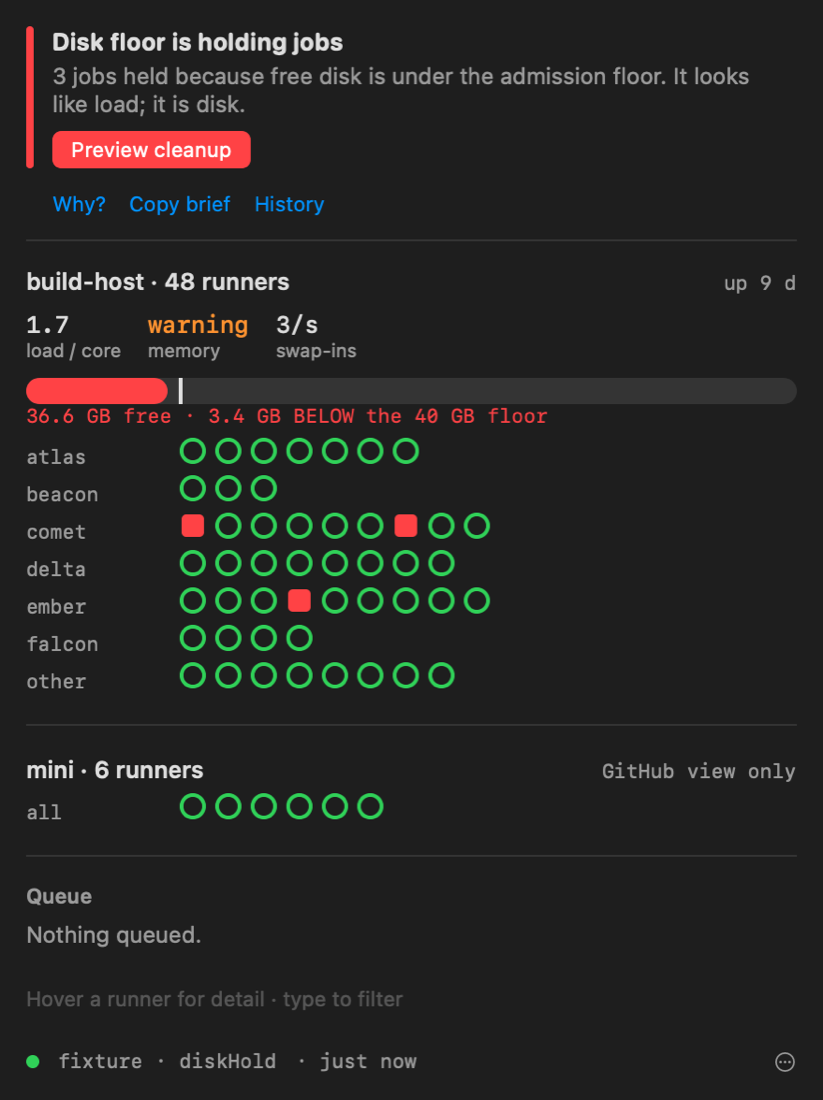
Fleet Cockpit is a macOS menu bar app for the Mac you sit at. It shows the fleet's verdict at a glance, keeps telling the truth when the runner host or its dashboard is the thing that is down, and gives scripts and agent sessions one command in place of a diagnostic ladder.
It is a client of the dashboard, not a second monitoring engine. Everything it
says about the fleet comes from GET /api/glance; the
only thing it works out for itself is what no process on the runner host can
report — that host's own absence.
The pieces
| Piece | What it is | Where it lives |
|---|---|---|
| The app | The menu bar mark, the popover, notifications, a floating panel, incident replay | cockpit/App/ (SwiftUI, generated with XcodeGen) |
| Widgets | Small, medium and large desktop widgets | cockpit/App/FleetCockpitWidgets/ |
| Shortcuts and Focus | Fleet Status, Why Is a Repo Queued, Repair Fleet, and a Focus filter | cockpit/App/FleetCockpit/Intents.swift |
cockpit CLI |
The verdict, a repo's story, the queue, a blocking wait on checks | cockpit/Sources/cockpit/ |
| MCP server | cockpit mcp: the dashboard's MCP tools over stdio, read-only unless given an API token |
cockpit/Sources/cockpit/MCP.swift |
| Agent skill | Teaches a Claude Code or Cursor session to ask the fleet before blaming the code | cockpit/skills/fleet-cockpit/ |
| Host sentinel | A one-minute probe on another machine that notices the host going away | scripts/host-sentinel.sh |
| CockpitCore | Everything testable: models, transport, stream, presenter, sentinel table | cockpit/Sources/CockpitCore/ |
The verdict itself is computed on the runner host by dashboard/lib/verdict.js.
The web dashboard's banner, /api/glance, phone push and every piece above read
that one ladder, so the words are the same wherever you look.
Where to go next
| Page | Read it when |
|---|---|
| Install and set up | You are building the app, putting the CLI on your PATH, pairing, or opening it at login |
| Using the app | You want to know what the popover, the pills and the buttons mean |
| Verdict reference | You need the exact rungs, what opens each one, the out-of-band verdicts, and the next moves |
| Around macOS | Widgets, Shortcuts, the Focus filter, the hotkey, the URL scheme, incident replay |
| Command line | Every cockpit command, flag, output and exit code |
| Agent sessions | The MCP server, the skill, and reading the snapshot file from your own tools |
| Host sentinel | You want a phone notification when the runner host itself goes away |
| Settings and files | Every setting, defaults key and file the cockpit reads or writes |
| Troubleshooting | The cockpit itself is misbehaving |
| Development | You are changing the cockpit: layout, tests, fixtures, screenshots, releases |
Design rules
These are the decisions everything else follows from. Each one came out of an incident where the opposite went wrong.
- One vocabulary. The cockpit never re-derives the fleet's state from the
parts. It renders the daemon's verdict, and adds only the two rungs the daemon
cannot see: its own host being gone (
host-down) and this Mac being offline (blind). - Never stale-green. When the stream drops, the last view stays on screen, greyed, with its age. A dead connection never looks like a healthy fleet.
- Transitions, not levels. A condition notifies once when it opens and once when it clears, with how long it lasted. Whatever was already open at launch is the state of the world, not news.
- Read-only until paired. Pairing gives this Mac its own revocable token.
The dashboard's master token never leaves the host, and the CLI needs an
explicit
--yesfor anything that changes the fleet. - Nothing that changes the fleet behind a URL. A web page can open a
fleetcockpit://link, so URLs can open views and reconnect, but never repair, restart, clean up or add a login item. - Nothing host-specific compiled in. The host is a list of SSH aliases in Settings. When the build box replaces the current runner host, that is a new alias, not a new release.